Outlook for iOS and Android updated
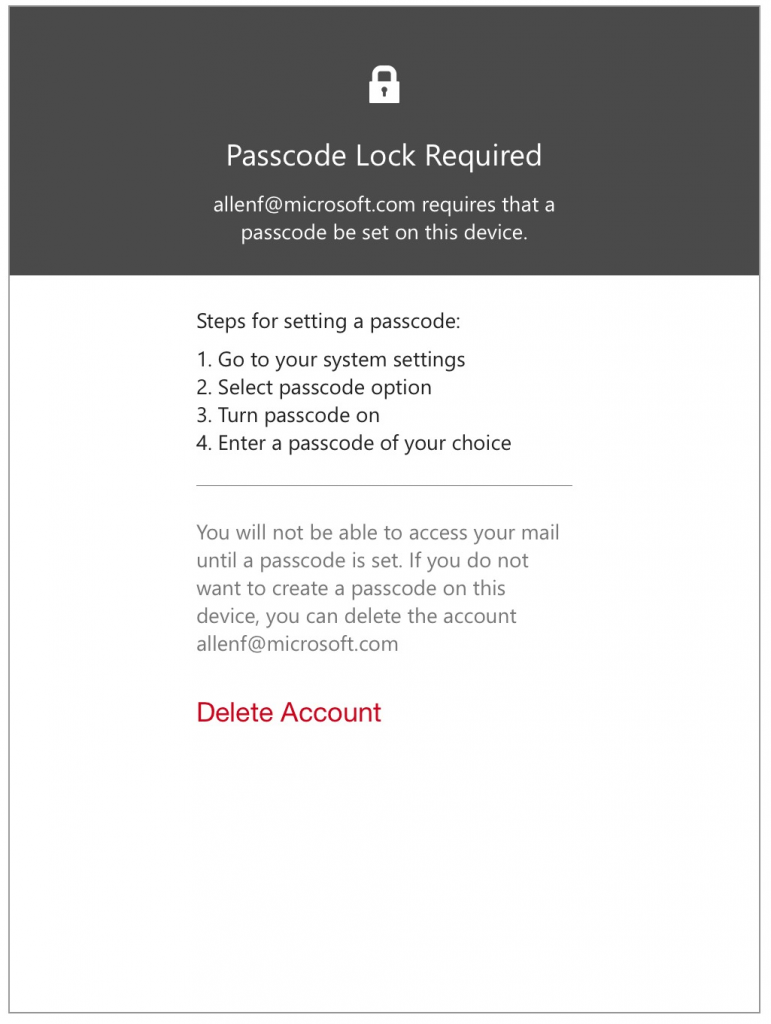 Outlook implements password enforcement using Exchange ActiveSync. If your company email policy requires that devices have a password in order to sync mail, Outlook will enforce this at the device level.
On iOS devices, Outlook will check to make sure a passcode is properly set. In the event a passcode is not set, it will prompt users to set one up in iOS settings.
On Android devices, Outlook will enforce screen lock rules. Further, Google provides controls that allow Outlook to honor additional Office 365 and Exchange policies regarding password length and complexity requirements and the number of allowable screen-unlock attempts before wiping the phone. It will also encourage storage encryption if it is not enabled.
Devices that do not support these security settings will not be able to connect to an account.
In addition to this security enhancement several new features have been added:
Outlook for iOS: You can now disable the app’s default Conversation view, which groups all messages from the same thread together.
Outlook for Android: You can now customize what happens when you swipe left or right on an email message or other item. To customize these gestures, visit Settings, Swipe Options.
Recommended: Acompli mobile mail client for Exchange and Office365
The majority of our clients are Outlook users connecting to either an on-premises Exchange server or to Office365 in the cloud. While the built in mail apps found in iOS and Android do work well enough for many we often get asked is there a more “Outlook like” solution for phones.
Having tested multiple applications on both iOS and Android the one that we have found to be both easy to use and dependable, while providing superior functionality to the default applications is Acompli.
Available for both Android and iOS phones it also has an excellent version for iPads allowing iOS users to have a similar experience on both of their devices. Usable in both portrait and landscape, It transitions smoothly from one to two panes when rotated to landscape.
What sets Acompli apart from the default mail apps are features such as its integrated calendar that works with the email functions. You can jump between email and the calendar without switching between applications
An aggregated inbox lets you see mail from multiple accounts in one view allowing you to use the app for both personal and business email.
 capitalregionit