Microsoft Surface 3 firmware update released
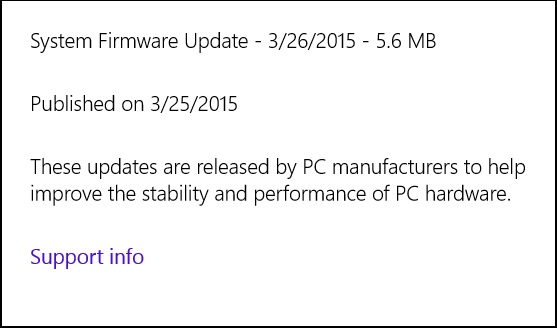 Yesterday Microsoft released a second Surface Pro 3 update for the month of March. You will probably find the update ready to install but if not you can manually check for the update by following the instructions below. This business focused firmware update adds support for enterprise disk encryption, enhances the advanced configuration settings for device security, and adds configurable support from the Windows OS for provisioning scenarios.
| Step 1: | Swipe in from the right edge of the screen, and tap Settings. (If you’re using a mouse, point to upper-right corner of screen, move the mouse pointer down, and click Settings.) |
| Step 2: | Tap or click Change PC settings, and tap or click Update and recovery. |
| Step 3: | Tap or click Check now. |
| Step 4: | If there are updates available, tap or click View details. |
| Step 5: | Tap or click to select the updates you want to install, and tap or click Install. You will need to restart Surface after the updates have been installed. |
Microsoft Surface Pro 3: Firmware update available
Surface Pen Settings driver update (v3.0.64.0) enables new functionality and features for the Surface app found in the Windows Store. You can install this update from Windows updates on your Surface.
Surface Pro 3 $100 off at the Microsoft Store
Until the end of the Month you can save $100 on the Surface pro 3 from Microsoft. This is a very popular device that makes even most Ultrabooks feel like a chore to carry around all day.
Source: Microsoft Store
Surface Pro 3 Firmware updates available
This months Microsoft updates include the following updates for the Surface Pro 3:
- Surface Pro UEFI update (v3.11.450.0) adds support for updated HD Graphics Family driver.
- HD Graphics Family driver update (v10.18.14.4029) enhances display stability and performance, improves user experience when using Miracast adapters. Improves compatibility with DisplayPort monitors and daisy chaining.
- Wireless Network Controller and Bluetooth driver update (v15.68.3073.151) addresses connectivity issues while Hyper-V is enabled. Adds an advanced feature to control the 2.4Ghz and 5Ghz band preference.
- Surface Home Button driver update (v2.0.1179.0) ensures compatibility with the Surface Hub app.
- Microsoft Docking Station Audio Device driver update (v1.31.35.7) improves the user experience while using the Surface Pro 3 Docking Station so that sound is available when a speaker is not connected to the docking station.
Source: Microsoft Surface Update History
Surface Pro 3 docking station now available

We have long recommended the Surface Pro docking station to clients and now would recommend the Surface pro 3 version.
The Surface Pro is a full featured Windows 8.1 workstation and the dock allows you to quickly switch from using it as a tablet or Ultrabook to using it as a workstation.
Including three USB 3.0 ports, two USB 2.0 ports, Mini Display port connector and a Gigabit Ethernet port grants you all the required ports for most workstation users and in an improvement over the Surface Pro docking station, this one leaves the Surface Pro 3’s display port and USB 3.0 port available.
 capitalregionit